Link Order

A native home for your Mac’s networks

Every connection.
More possibility.

Your Wi-Fi, Ethernet and hotspot can do more. Give each app its own route. Put independent connections to work together.

Made for macOS 14+ · On-device routing · No relay server

Three connections. One place.
Ethernet Independent home line
Wi-Fi A second internet line
Hotspot Your mobile connection
Link OrderYour network group
Your apps

Two independent connections, working together. Try switching one off.

A route for each appConnection balancingYour data stays on your Mac

One Mac.
More ways to connect.

A busy download. A work VPN. A cable that comes loose.
Let each connection do what it does best.

01 / Put connections to work

Two internet lines.
Room to do more.

Balance new connections across independent networks. Apps with multiple connections can use more of your total available bandwidth.

Illustrative capacity, not a measured speed result.

Across multiple connectionsUp to 100 Mbps

A single connection stays on one network. Shared internet lines share their capacity.

Less network juggling.
More getting on with it.

A familiar Mac app.
A little more say in where things go.

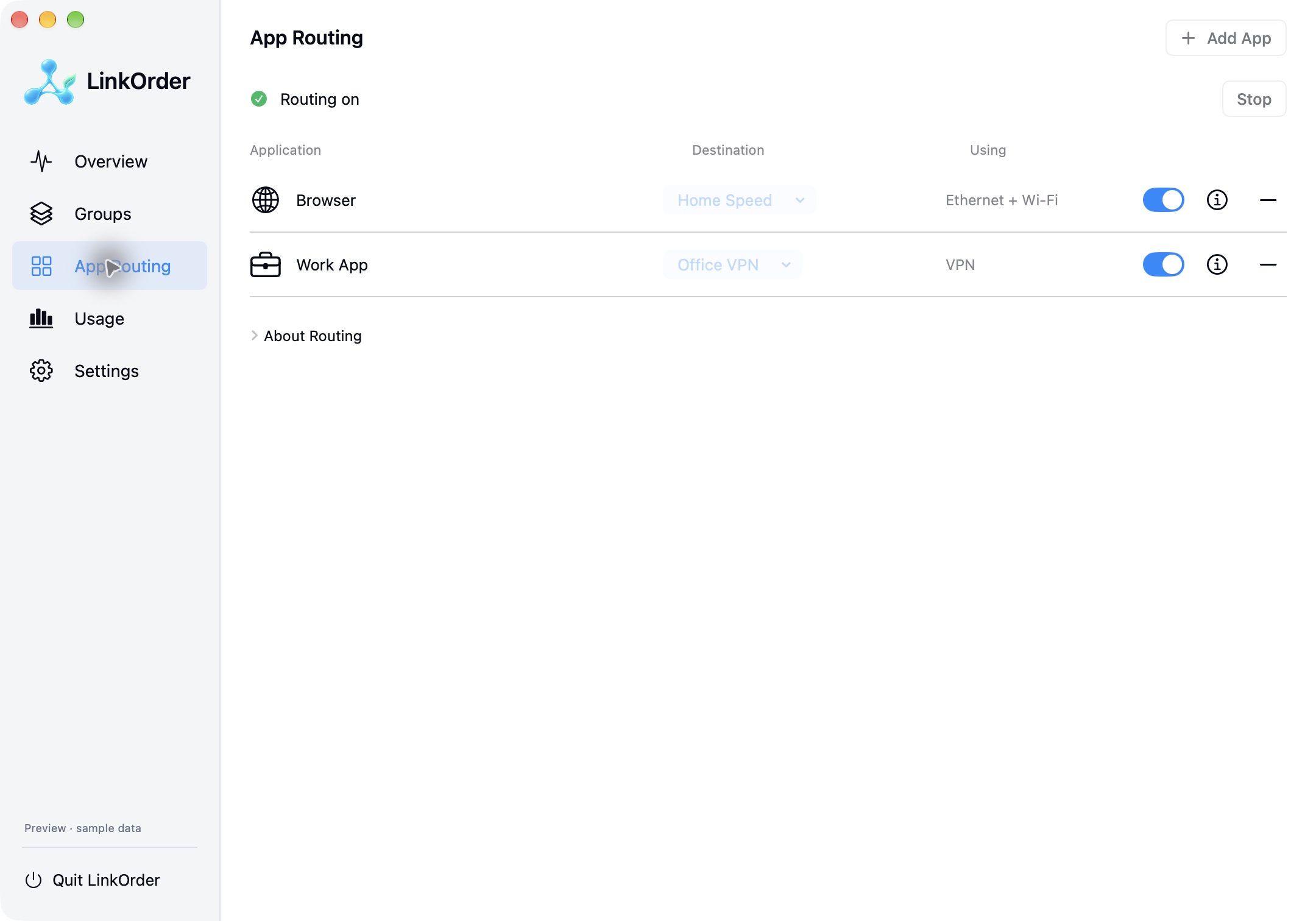
Link Order App Routing screen showing separate destinations for Browser and Work App

Native app preview with sample data. VPN routing depends on the provider and its policy.

Life happens.
Have another route.

Put your preferred network first. When it’s unavailable, a Priority group chooses the next eligible network for new connections.

An interactive example. Existing connections may need to reconnect.

My everyday groupPriority
1EthernetIn use
2Wi-FiReady
3HotspotExcluded

New connections use Ethernet.

Your Mac.
Your way in.

Choose the edition that fits.
No Link Order account. No relay subscription.

Community

Available on GitHub

Hands-on control of your Mac’s connections.

  • Menu bar speeds and usage
  • System service order and Network Locations
  • Charge Only with the privileged helper
  • Local proxy for supported apps and browsers
Get Community

Free · Local administrator approval for the helper

App Store

In development

Native app routing, with optional Pro features.

  • Traffic monitoring and one app → one adapter
  • Pro: network groups and connection balancing
  • Pro: multiple application rules
  • One-time Pro unlock, no subscription

Not yet released · Requires macOS routing approval

A few things to know.

Will two connections double every download?+

No. Link Order distributes new connections across independent uplinks. An app using many connections can benefit from their combined capacity. A single TCP connection or QUIC session stays on one adapter, and two adapters sharing the same internet line share that line’s limit.

Can I keep just my work apps on a VPN?+

You can assign supported apps to different destinations. VPN compatibility depends on the provider and its policy. Link Order does not override a mandatory VPN or firewall policy, and system DNS remains governed by macOS settings.

Does my traffic pass through a Link Order server?+

No. Routing happens locally on your Mac. There is no Link Order relay service or account. The landing page’s animated network examples are simulations and never change your network settings.

How are the two editions different?+

Community includes system network controls and proxy-based routing for supported applications. The App Store edition is in development and uses a macOS routing extension. It does not change macOS service order or provide system-wide Charge Only. Groups and multiple app rules are planned as a one-time Pro purchase.